- 1,000,000+ installs
- 4.8★ from 11,359 ratings
- Android 8.0+
- On Google Play since 2015
Count down to the days that actually matter
Add as many countdowns as you like — a birthday, a holiday, a due date, a deadline — colour them, give them an icon, and watch them on your home screen. Unlimited countdowns are free, and there is no account to create.
Free to install · contains ads · Premium is a subscription or a one-time purchase — exactly what that costs and how to cancel
- 1M+installs on Google Play
- 4.8★11,359 ratings
- 450icons to choose from
- 8.0+Android version needed
Features
What the app does
Some of this is free and some is Premium. Which is which is marked on every card below, and set out in full under Pricing — there are no surprises further down.
Unlimited countdowns · free
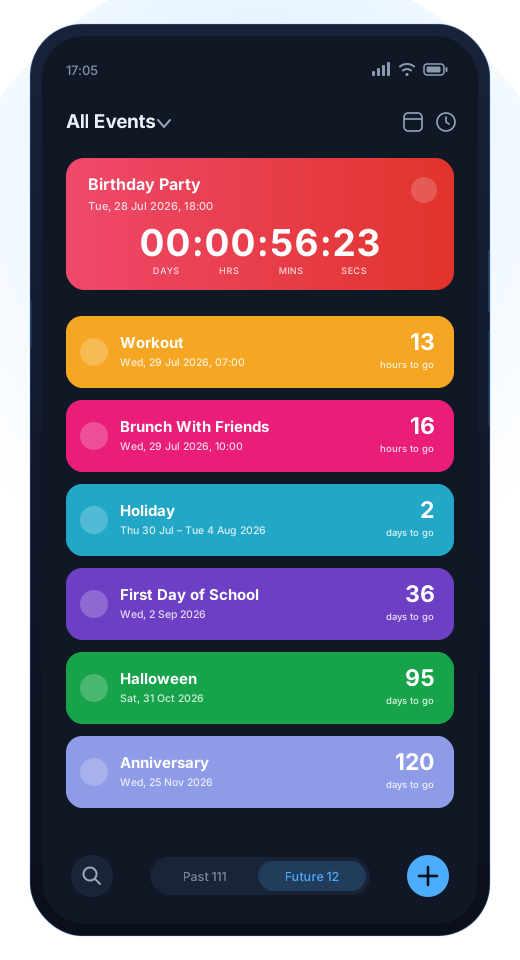
Add as many events as you want from the first minute, with no cap and no trial clock running. Count down to a date, or count up from one that has already passed, in years, days, hours, minutes and seconds.
Home-screen widgets · free and Premium
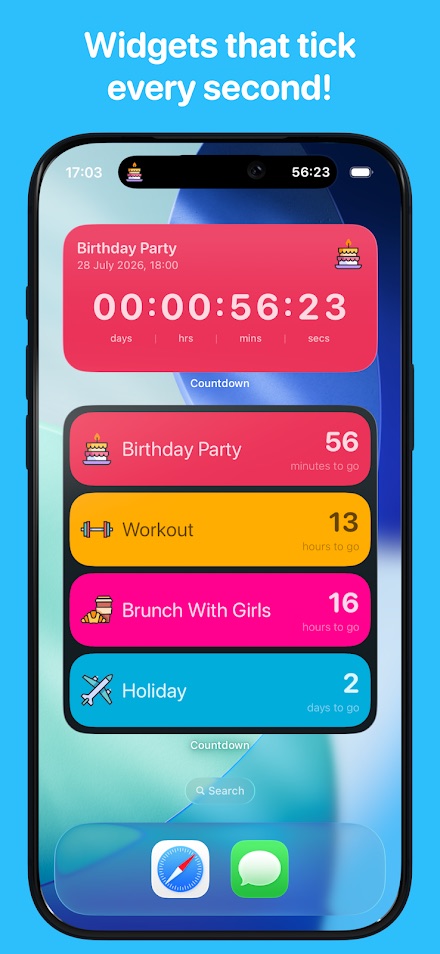
The Next Event widget is free. Premium adds the rest of the collection: a live countdown that ticks every second, a multi-event widget, and one where you choose which event it shows.
Calendar view · Premium
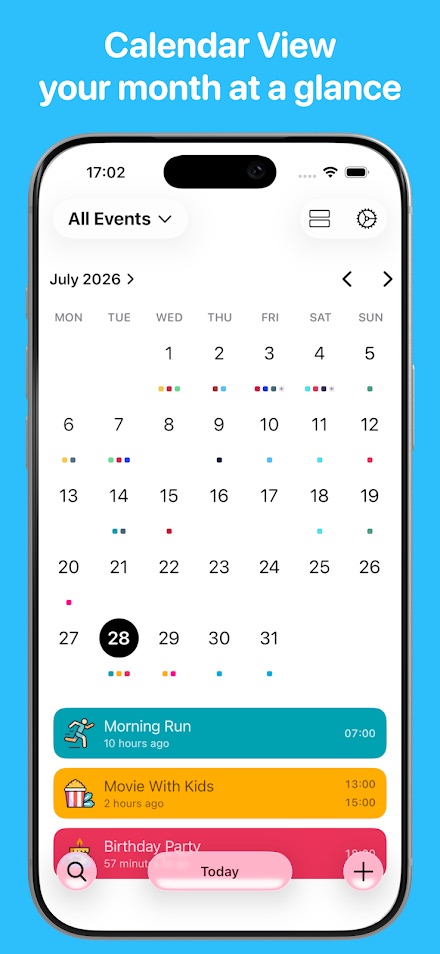
A month grid with your events colour-coded underneath. Swipe between months, tap a day, open any countdown from it. Useful once you have more events than fit comfortably in a list.
Make each one yours · free
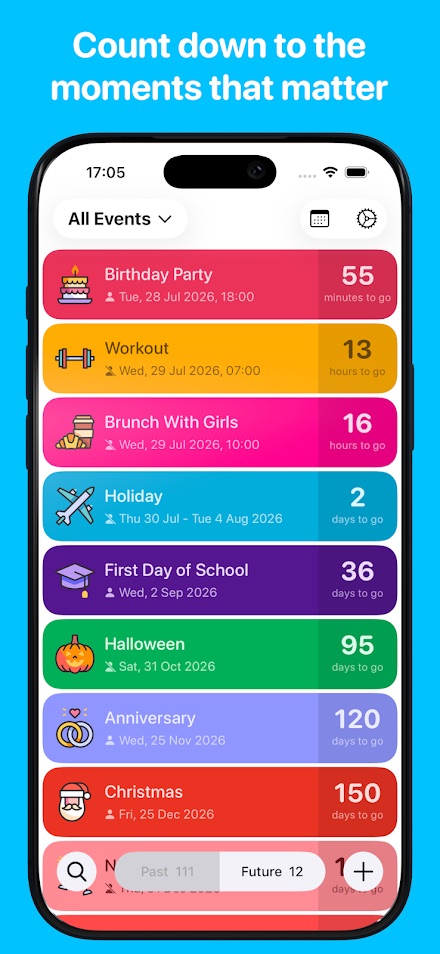
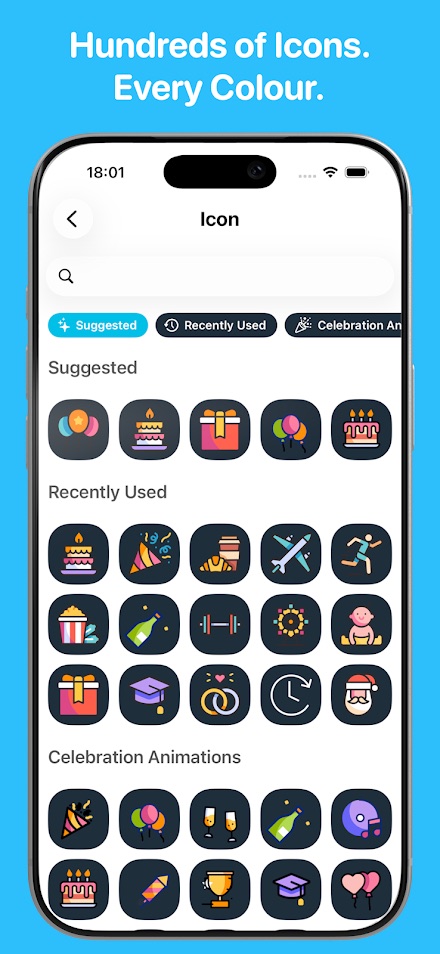
450 icons and a colour for every event, so a glance at the list tells you what is what without reading it. Notes, notifications and search come with the free version too.
Share a countdown · free
Send an event to someone and they see it counting down live, whether they are on Android or on an iPhone. A countdown can also be turned into a short video to post somewhere.
Repeats and sync · Premium
Events that repeat every year and show the age on birthdays and anniversaries, plus syncing your events across your devices, Android and iPhone alike.
What it is not
Event Countdown counts down to dates. It is not a task manager, not a project planner and not a replacement for your calendar app — it sits alongside one. It does not remind you to do things; it shows you how long is left, which is a different job and the only one it claims.
Getting started
Three steps, no account needed
-
Install from Google Play
One tap from the button on this page. No registration, no sign-up, and nothing to download from anywhere else.
-
Add your first event
A name, a date, and a time if the time matters. Pick a colour and an icon while you are there — it takes two seconds and makes the list readable later.
-
Put it on your home screen
Add the Next Event widget so the thing you are waiting for is visible without opening anything.
The full guide covers each screen, the widgets, sharing, and what to do when notifications go quiet.
Screens
The interface
Promotional screenshots as published by the developer on the Google Play listing, captions and device frames included. The same app is published on both platforms and some of this artwork was shot on an iPhone; on Android the screens are the same, the system furniture around them is not.
Comparison
Why not just put it in your calendar?
Put it in your calendar too — the two are not rivals. A calendar is built to tell you what is happening today; a countdown is built to tell you how far away something is. If you have never wanted the second thing, you do not need this app.
| What you want | A calendar app | Event Countdown |
|---|---|---|
| Know what is on this week | Exactly what it is for | Not its job |
| See at a glance how many days are left | You count the squares yourself | The number is the interface |
| Watch it tick down on the home screen | Usually an agenda list, not a countdown | Widgets down to the second |
| Count up from something that already happened | Not supported | Counts up as well as down |
| Show someone else how long is left | Send an invite and hope | Share a live countdown, or a short video of it |
| Tell events apart without reading | Colours by calendar, not by event | A colour and one of 450 icons per event |
Pricing
What it costs, in full
Premium is sold both as a recurring subscription and as a one-time purchase. That deserves more than a line in small print, so here is the whole thing.
Free
Free to install, free to use, no account, and unlimited countdowns from the start. Also free: the Next Event widget, counting up as well as down, colours and the 450 icons, notes, notifications, search, and sharing events with people on Android and iPhone.
The Google Play listing carries a Contains ads badge: the free version shows advertising.
Premium
Adds the calendar view, the full widget collection including the live second-by-second countdown, repeat events with ages, syncing across your devices, detailed notifications and calendars — and removes the ads.
Google Play lists in-app items in this app at $1.99–$49.99 per item. That range covers both the subscriptions and the one-time purchase.
If you choose a subscription, read this part
Premium can be bought as a monthly or yearly subscription, or as a one-time lifetime purchase. The subscription is the one with the obligations attached:
- Payment is charged to your Google Play account when you confirm the purchase.
- It renews automatically unless auto-renew is turned off at least 24 hours before the current period ends.
- The renewal charge is taken within the 24 hours before the period ends, and identifies the cost of the renewal.
- You cancel it in your Google Play account settings, not in the app and not on this website. Cancelling stops the next renewal; it does not refund the period you are in.
- If a free trial is offered and you buy a subscription during it, any unused part of the trial is forfeited.
If recurring payments are not something you want to think about again, the one-time lifetime purchase exists precisely for that. Both options are shown in the app with the current price in your own currency, and those prices are the ones that count — the figures on this page come from the Play listing and are indicative.
Every payment, renewal, refund and cancellation is handled by Google Play under its own terms and refund policy. This website never takes a payment, cannot see what you have bought and cannot cancel anything for you — where to cancel.
Permissions and data
What the app asks for, and why
Two of these surprise people in a countdown app, so they are explained rather than listed. The authoritative version is on the Play listing under Data safety and App permissions.
| Permission | What it is for |
|---|---|
| Camera, microphone | For turning a countdown into a shareable video. A video needs something to record with, and this is the permission behind that one feature — nothing records unless you start it. |
| Read and modify storage | Saves the video or image you export, and reads photos you attach to an event. |
| Full network access, view network connections | Serves the advertising in the free version, and carries the cross-device sync in Premium. |
| Run at startup | Brings the widgets and notifications back after the phone restarts, so a countdown does not silently stop. |
| Control vibration, prevent the device from sleeping | Drives event notifications and keeps a live widget updating while the screen is on. |
The data safety declaration, in plain words
On Google Play the developer declares that the app collects name and email address, user and device identifiers, app activity, crash logs and diagnostics — used for app functionality, account management, analytics, personalisation and developer communications. Name and email exist because Premium syncs your events between devices, and sync needs an account to sync to.
It declares that it shares app activity and app performance data with third parties. It also states that data is encrypted in transit and that you can request that data be deleted — which is the part many apps cannot say.
The app has its own privacy policy and terms, separate from this website’s, and the current version of the declaration is always the one on the Play listing.
FAQ
Common questions
Is Premium a subscription, and how do I cancel it?
Premium is sold as a monthly or yearly subscription or as a one-time lifetime purchase — you choose which. A subscription renews automatically unless you turn auto-renew off at least 24 hours before the period ends, and you cancel it in your Google Play account settings, not in the app. Step by step.
How many countdowns do I get for free?
As many as you like. Unlimited countdowns are in the free version, not behind the paywall. What is and is not Premium.
Why does a countdown app want the camera and microphone?
For the feature that turns a countdown into a shareable video. Nothing is recorded unless you start it, and the rest of the app works if you decline.
Do I need an account?
Not to use it. Countdowns, widgets, icons and sharing all work with no sign-up. An account only comes in if you want Premium sync between devices — there has to be something for the events to sync through.
Can I share a countdown with someone on an iPhone?
Yes. The app is published on both platforms, and a shared countdown appears live for the other person on either one.
Install Event Countdown
Free to install from Google Play with unlimited countdowns, ads, and an optional Premium subscription or one-time purchase. Installed from Google Play only — this site never asks you to sideload an APK.